
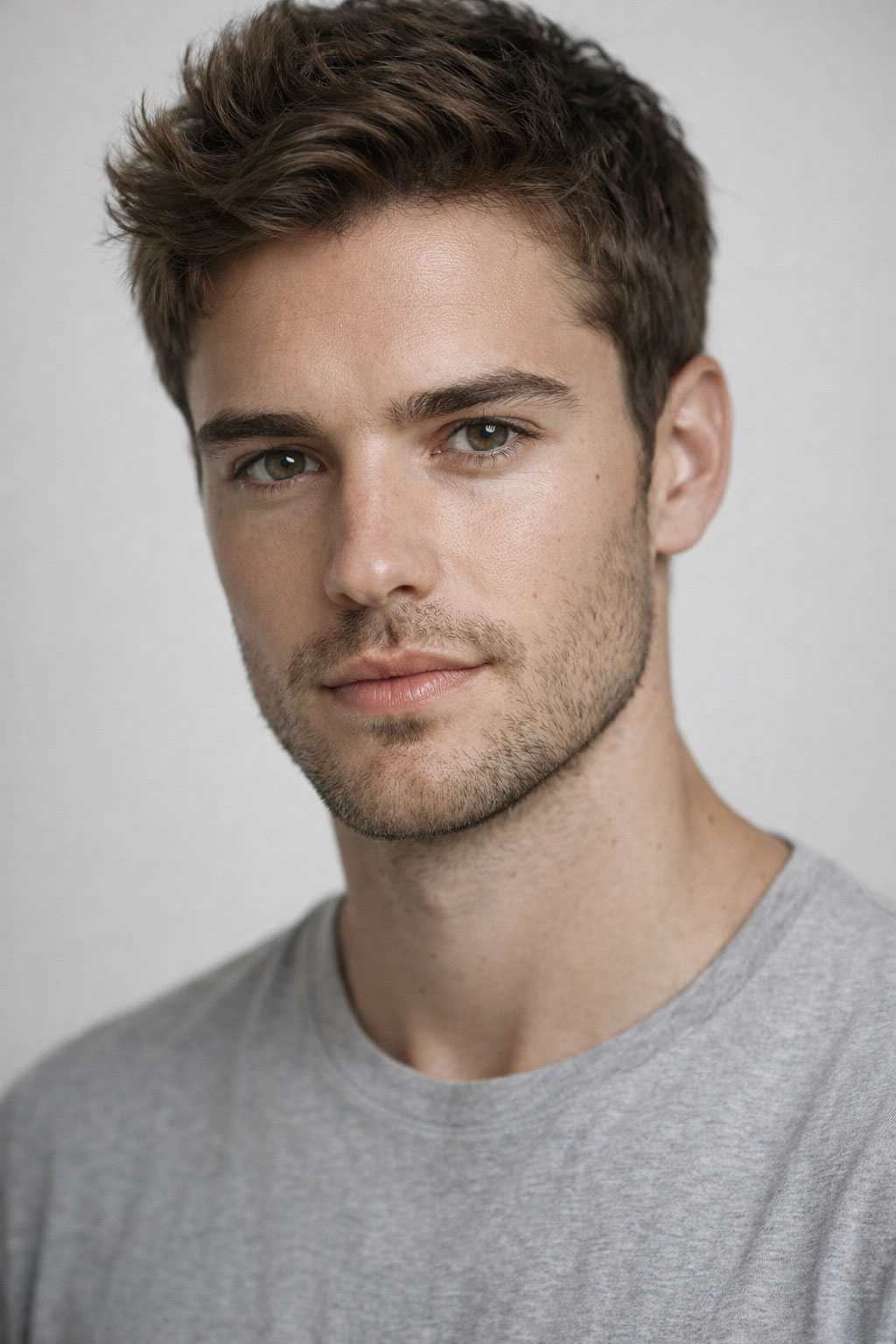
High Detail Portrait AI Prompt (Ultra Realistic Style)
This high detail portrait AI prompt is optimized to generate ultra realistic portraits with sharp facial definition and professional clarity using ChatGPT image generation. The prompt emphasizes fine skin texture, accurate facial proportions, and controlled lighting to achieve crisp, photography-style results.
High-detail portraits require more than basic realism. By incorporating keywords such as ultra high resolution, detailed facial features, soft shadow balance, and professional camera style, this prompt helps produce sharp and refined images suitable for editorial projects, branding visuals, and commercial mockups.
This prompt is part of our complete realistic AI image prompts collection, designed for users who demand maximum clarity and lifelike detail in AI-generated portrait photography.
Prompt
Ultra high detail portrait photography, realistic skin texture, sharp facial features, soft studio lighting, shallow depth of field, professional DSLR camera style, neutral background, high resolution clarity
How to Use This Prompt in ChatGPT
- Open ChatGPT and activate image generation.
- Copy the high detail portrait prompt above.
- Paste it into the image input field.
- Generate the portrait and evaluate facial sharpness.
- Adjust lighting or resolution keywords for stronger detail.
Usage Tips
- Use high resolution or ultra detail keywords for sharper output.
- Keep background simple to highlight facial clarity.
- Avoid mixing multiple art styles when targeting realism.
Prompt Variations
- Add cinematic lighting for dramatic contrast.
- Specify close-up framing for enhanced facial detail.
- Include rim lighting for depth enhancement.
All Realistic Portrait Prompts
Related Prompts
Frequently Asked Questions
What improves facial sharpness in AI portraits?
Including keywords such as high detail, sharp facial features, and professional camera style can significantly enhance clarity.
Is this suitable for commercial editorial use?
Yes, ultra realistic high-detail portraits are ideal for marketing campaigns and editorial mockups.
Can I increase realism further?
You can add additional lighting or lens descriptors to refine the realism of the generated image.
Disclosure:This website shares AI image prompts for educational and creative purposes. Image results may vary depending on ChatGPT updates and generation settings. Preview images are displayed for reference only.